BootMediaMaker writes an ISO image to a USB stick so it can boot in UEFI and BIOS modes.
Flexible
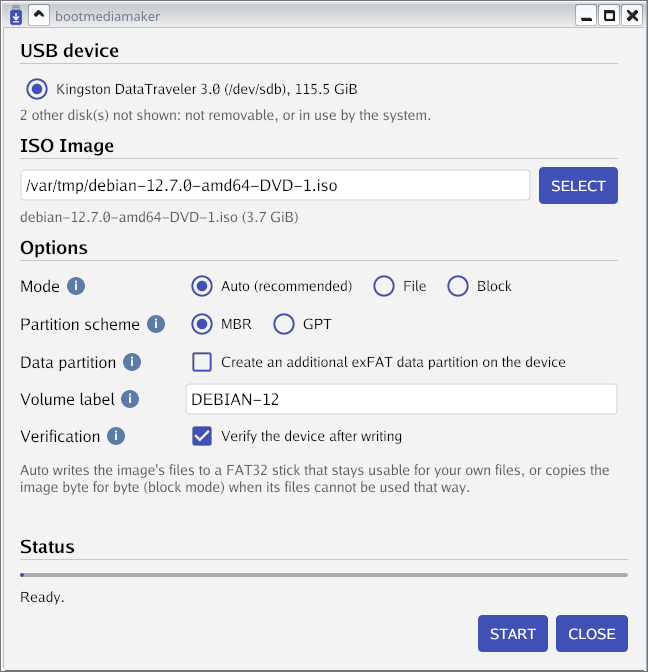
With most ISO images, the files from the image are written to a FAT32 filesystem spanning the device, with an optional exFAT data partition for large files, so the rest of the space stays available for your own files. When an ISO cannot be copied that way, BootMediaMaker copies it byte for byte in block mode.
BIOS and UEFI
Both UEFI (with Secure Boot when the ISO supports it) and legacy BIOS boot modes are supported.
Linux
Debian, Ubuntu, Fedora, Linux Mint, Arch Linux, openSUSE, NixOS, Rocky Linux, AlmaLinux and many more are tested by booting the sticks bootmediamaker writes; other ISOs are handled by a generic profile.
Windows
Windows 10 and 11 ISO images can be written to the FAT32 filesystem on the
device, with Secure Boot and no third-party boot code: the large
install.wim is split into parts that Windows Setup reads as one image.
Safe
Only USB and removable devices are offered, the disks of the running system are refused, and the plan is shown before anything is written.
Self-contained
The program does not depend on external commands to work. The text user
interface version, bootmediamaker-tui, is a fully static binary.
Runs as non-root
It can run as a non-root user on a desktop, asking for permission to write the stick through udisks2 and polkit.
Two interfaces
The graphical version for Linux works with both X11 and Wayland. A text user interface is also provided, to be used in a terminal.
Reproducible
Anyone can rebuild a release from its source and get the exact same binary, to confirm that the official binary is built from the source code which is distributed.
Free software
BootMediaMaker is free software: it is distributed under the terms of the version 3 of the GNU General Public License.